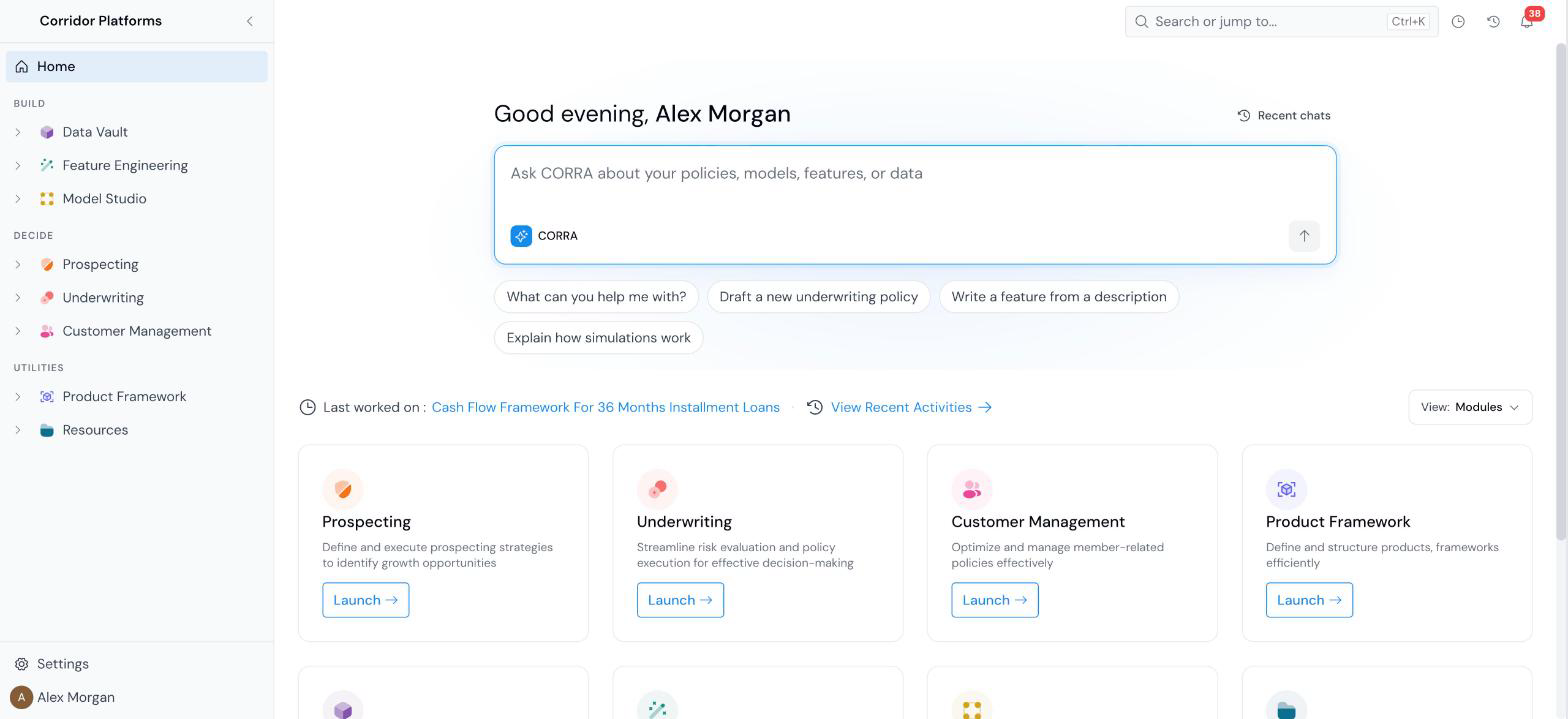
 The home page greets you by name and puts **CORRA**, the platform's AI assistant, at the top. Type a question into **Ask CORRA about your policies, models, features, or data**, or click one of the suggestions underneath (for example, **Draft a new underwriting policy** or **Explain how simulations work**). **Recent chats** reopens an earlier conversation. See [CORRA AI](/user-guide/corra-ai/).
Below the CORRA box, the **View** switcher at the right chooses what the rest of the page shows.
### Modules view
One tile per module, each with a **Launch** button: Prospecting, Underwriting, Customer Management, Product Framework, Data Vault, Feature Engineering, Model Studio, and Resources. Above the tiles, **Last worked on** links to the object you touched most recently, and **View Recent Activities** opens the full list.
### My work view
The home page greets you by name and puts **CORRA**, the platform's AI assistant, at the top. Type a question into **Ask CORRA about your policies, models, features, or data**, or click one of the suggestions underneath (for example, **Draft a new underwriting policy** or **Explain how simulations work**). **Recent chats** reopens an earlier conversation. See [CORRA AI](/user-guide/corra-ai/).
Below the CORRA box, the **View** switcher at the right chooses what the rest of the page shows.
### Modules view
One tile per module, each with a **Launch** button: Prospecting, Underwriting, Customer Management, Product Framework, Data Vault, Feature Engineering, Model Studio, and Resources. Above the tiles, **Last worked on** links to the object you touched most recently, and **View Recent Activities** opens the full list.
### My work view
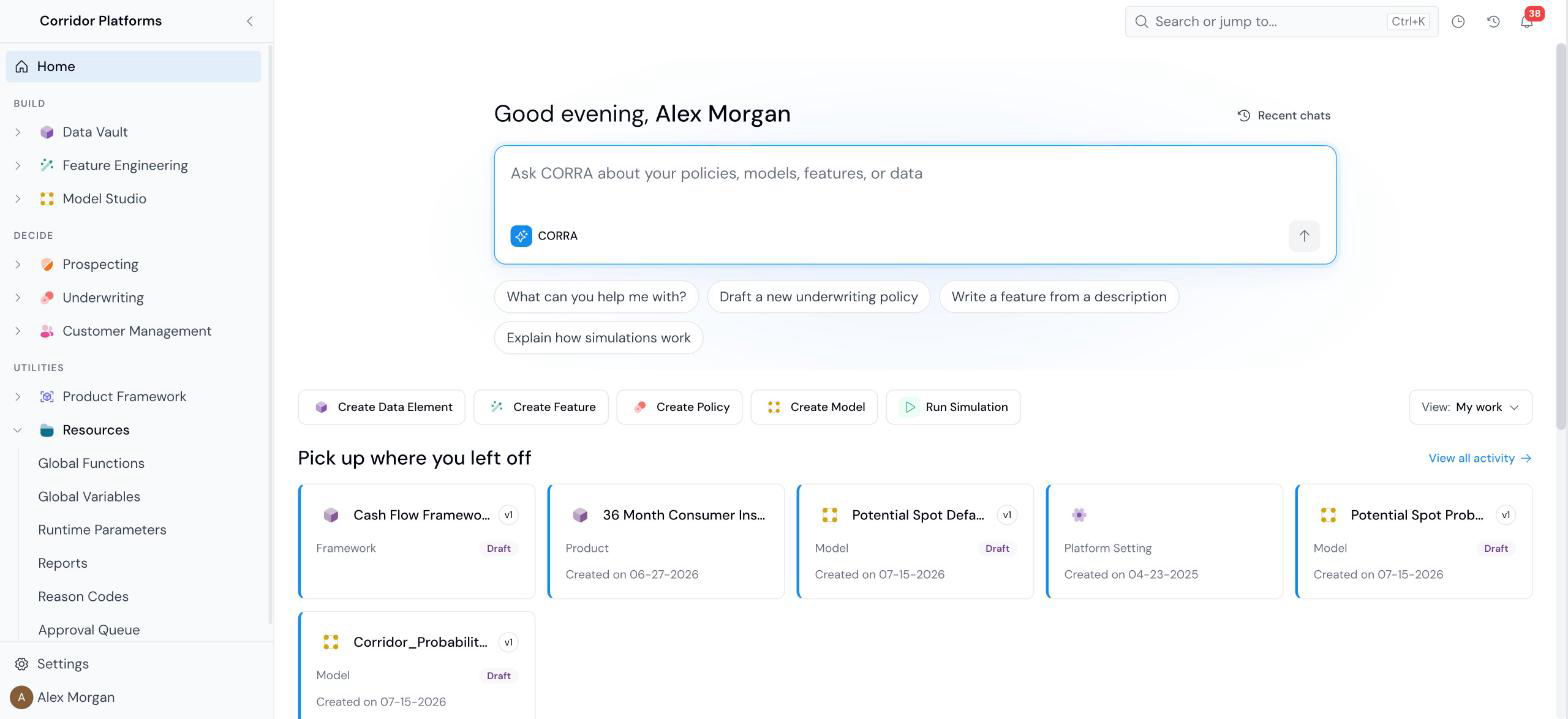 - **Quick actions**: **Create Data Element**, **Create Feature**, **Create Policy**, **Create Model**, and **Run Simulation**.
- **Pick up where you left off**: a card for each object you worked on recently, showing its type, version, status, and creation date. **View all activity** opens the full list.
- **Approvals**: approval requests waiting on you. When there are none, it reads **You're all caught up**.
### Choosing your default view
Click **View** to open the switcher. It has two settings:
- **Show me**: switches the page between **Modules** and **My work** now.
- **Open when I sign in**: sets which view the home page opens on next time.
## The left sidebar
The sidebar lists every module you have access to, in three groups:
- **Quick actions**: **Create Data Element**, **Create Feature**, **Create Policy**, **Create Model**, and **Run Simulation**.
- **Pick up where you left off**: a card for each object you worked on recently, showing its type, version, status, and creation date. **View all activity** opens the full list.
- **Approvals**: approval requests waiting on you. When there are none, it reads **You're all caught up**.
### Choosing your default view
Click **View** to open the switcher. It has two settings:
- **Show me**: switches the page between **Modules** and **My work** now.
- **Open when I sign in**: sets which view the home page opens on next time.
## The left sidebar
The sidebar lists every module you have access to, in three groups:
| Group | Modules and pages |
|---|---|
| Build | Data Vault (Data Table, Quality Profile, Data Element), Feature Engineering (Feature), and Model Studio (Notebooks, Datasets, Model, Monitoring Dashboard). |
| Decide | Prospecting, Underwriting, and Customer Management. Each holds Policy, Portfolio Analysis, and Monitoring Dashboard. |
| Utilities | Product Framework (Product, Frameworks) and Resources (Global Functions, Global Variables, Runtime Parameters, Reports, Reason Codes). |